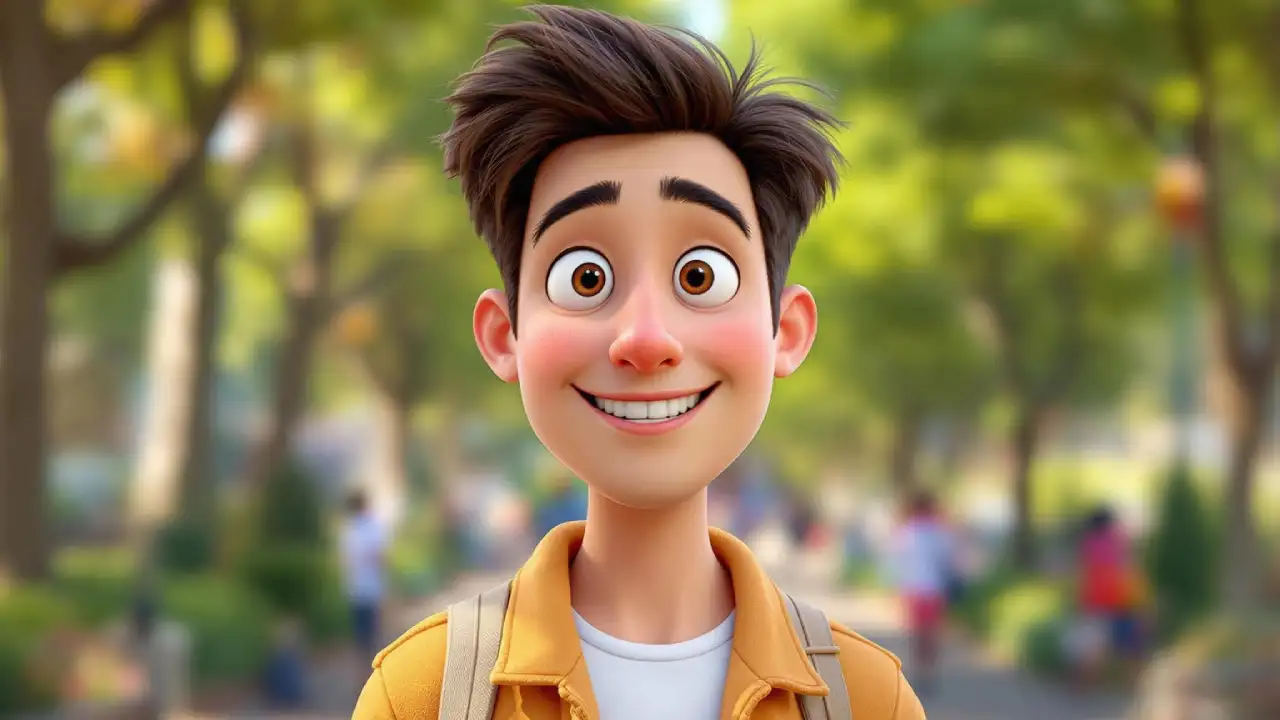
AI avatars are everywhere right now, but most of them still look stiff, robotic, or clearly “AI-generated.” That’s why creators are getting excited about HeyGen, especially for making Pixar-style avatars that actually feel expressive and fun.
What makes this interesting is how simple the process has become. You don’t need animation skills, character design experience, or complex tools.
With HeyGen, you can start from a single photo and turn it into a stylised avatar that looks like it walked straight out of an animated movie.
The Pixar-style look works so well because it softens facial features, exaggerates expressions slightly, and adds a clean, cinematic polish.
This makes the avatar perfect for reels, explainer videos, personal branding, storytelling content, or even faceless creator workflows where you still want a “human” presence.
HeyGen also stands out because the avatar doesn’t just sit there. The expressions, lip sync, and overall movement feel natural enough that viewers don’t instantly scroll away.
If you’re experimenting with AI avatars for content, branding, or storytelling, Pixar-style characters are one of the safest and most engaging formats right now. They’re friendly, visually appealing, and audience-approved, which is exactly why this trend keeps growing.
Steps to Make a Pixar-Style AI Avatar Using HeyGen
Here’s the full process of AI avatar creation using HeyGen, that allows you to make realistic videos for your social media.
Step 1: Log in to HeyGen
Go to HeyGen and create an account or log in.
Once inside, open the Avatars section from the left side menu and make sure you’re in the Generative / Video Avatar area.
Step 2: Choose how you want to create the Pixar look
You have two easy options, depending on what you prefer.
Option A: Create directly inside HeyGen
- Use HeyGen’s generative avatar feature and describe your character in simple words — age, hairstyle, outfit, vibe.
- From the style options, choose a Pixar / cartoon-style look, generate a few versions, and pick the one you like.
Option B: Upload a Pixar-style image
- First, create a Pixar-style portrait of yourself using any image generator.
- Then go back to HeyGen, choose Create Avatar using Photo, upload that image, and confirm details.
Step 3: Finalise and refine your avatar
- Wait a few minutes while HeyGen processes the avatar.
- Once it’s ready, you’ll see it in your avatar list.
- You can generate alternate looks or outfits while keeping the same Pixar-style face and identity.
Step 4: Turn your avatar into a talking video
- Open HeyGen’s video editor and select your Pixar avatar as the presenter.
- Add your script as text or upload an audio file if you want a custom voice.
- Choose expression and motion styles so the avatar feels natural, not stiff.
- Generate the video and let HeyGen handle lip-sync automatically.
Step 5: Download and use it anywhere
- Preview the video and make small edits if needed.
- Download it in your preferred quality.
- Use it for Reels, Shorts, YouTube videos, explainers, or as a faceless creator avatar for your personal brand.